01 UI/UX

Play Nirvana
— Trust Center

A scalable system that translates complex regulatory and security requirements into a clear, user-centered product experience for regulators, partners, and clients.

A centralized platform designed to communicate compliance, security, and operational trust to partners, regulators, and clients.

A scalable system that transforms complex compliance data into a clear, structured, and accessible experience.
Play Nirvana — Trust Center
Role
UX/UI Designer
Scope
Product UX, Information Architecture, UI Design
Goal
Turn complex compliance data into a clear, structured experience
Focus
Information architecture, trust, accessibility
01Overview

PlayNirvana Trust Center is a centralized platform designed to communicate compliance, security, and operational trust to partners, regulators, and clients.

The brief was to design a scalable system that transforms complex compliance data — ISO certifications, GDPR frameworks, audit timelines, internal processes, restricted documents — into a clear, structured, and accessible experience.

02Problem & Users

This wasn’t a UI problem. It was a complex information and trust problem.

Compliance data is technical, long, and difficult to interpret. It’s written for audits, not for usability — and the people who need it most rarely have time to read it end-to-end.

Three stakeholders approach this information with very different expectations. Regulators need proof: verifiable certifications and scope clarity. Partners need access: controlled paths to the right documents. Clients need trust: confidence that the operation behind the product is sound.

The content itself spans ISO certifications, GDPR frameworks, audit timelines, internal processes, and restricted documents. The core problem: how do you turn dense, technical, multi-layered compliance data into a structured, navigable, and trustworthy product experience?

INSIGHT → Users don’t want to read compliance systems. They want to verify credibility, access what they need, and understand what it means for them.

Started from raw documentation (ISO, GDPR, audit data) and broke it into five core domains: Certifications, Scope & Applicability, Trust, Documents, and FAQ. Each domain was mapped to one of three primary user types — regulators, partners, clients — with its own entry point into the system.

“Trust is not built by having documentation. It is built by making that documentation understandable, accessible, and verifiable.”

— Project principle

03Process

I started from raw documentation and broke it into core domains — Certifications, Scope, Trust, Documents, FAQ — then mapped those domains to the three user types so the system could be navigated in parallel rather than read end-to-end.

From
Dense, technical, multi-layered compliance documentation.
To
A structured, navigable, trustworthy product experience.
01

Deconstruct the system.

Break raw regulatory documentation into core domains: Certifications, Scope, Trust, Documents, FAQ. Each domain becomes its own surface.

02

Define user needs.

Three user types, three intents. Regulators need verification, partners need controlled access, clients need confidence.

03

Structure content.

Convert long-form policy into modular sections, clear hierarchy, scannable blocks, and progressive disclosure.

04

Design parallel access paths.

Not linear pages. Users can explore certifications, verify scope, download documents, or understand operations independently.

04Solution

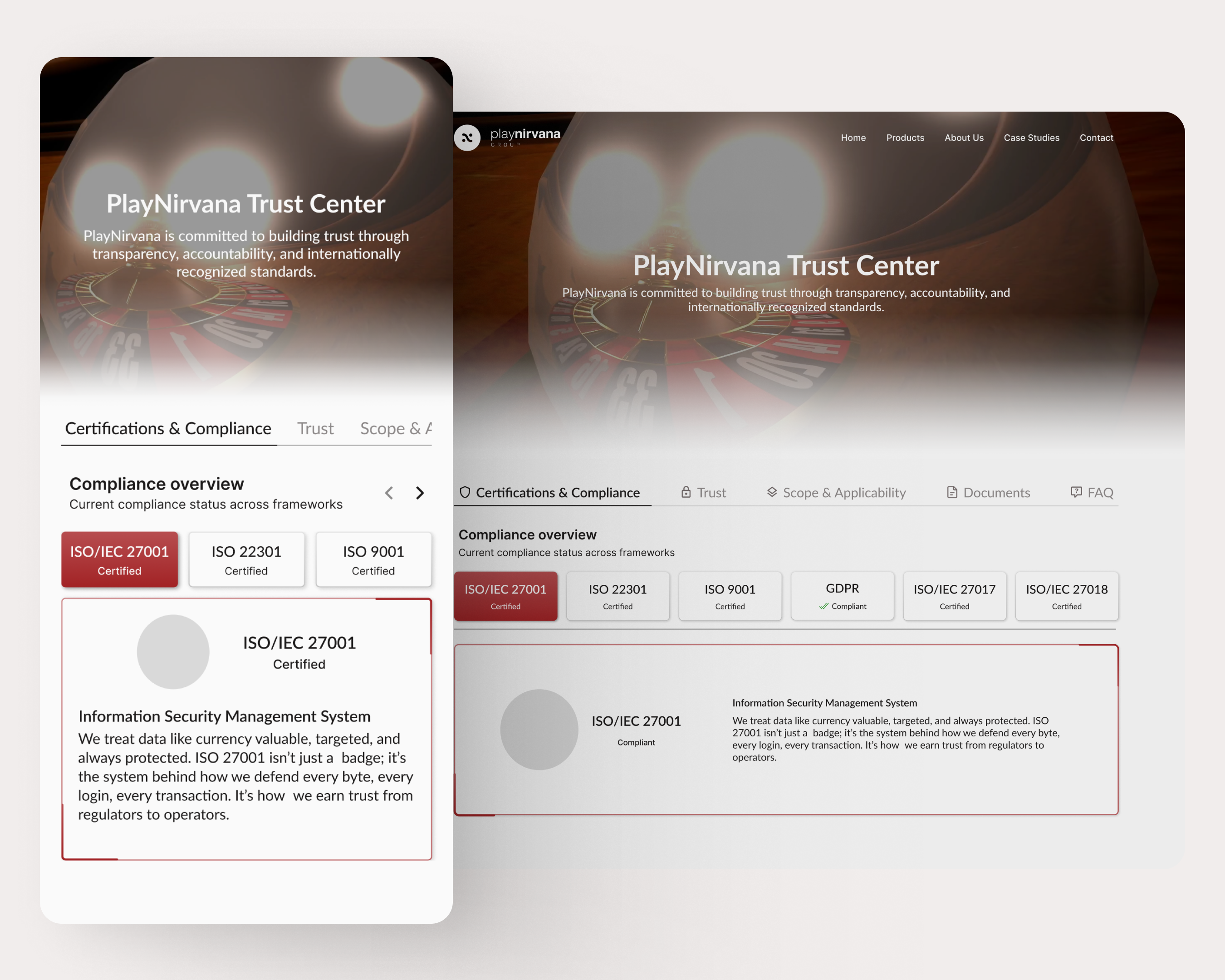
A tab-based architecture where each section represents a different dimension of trust. Certifications offer proof, Scope shows applicability, Trust exposes operations, Documents control access, FAQ provides clarity.
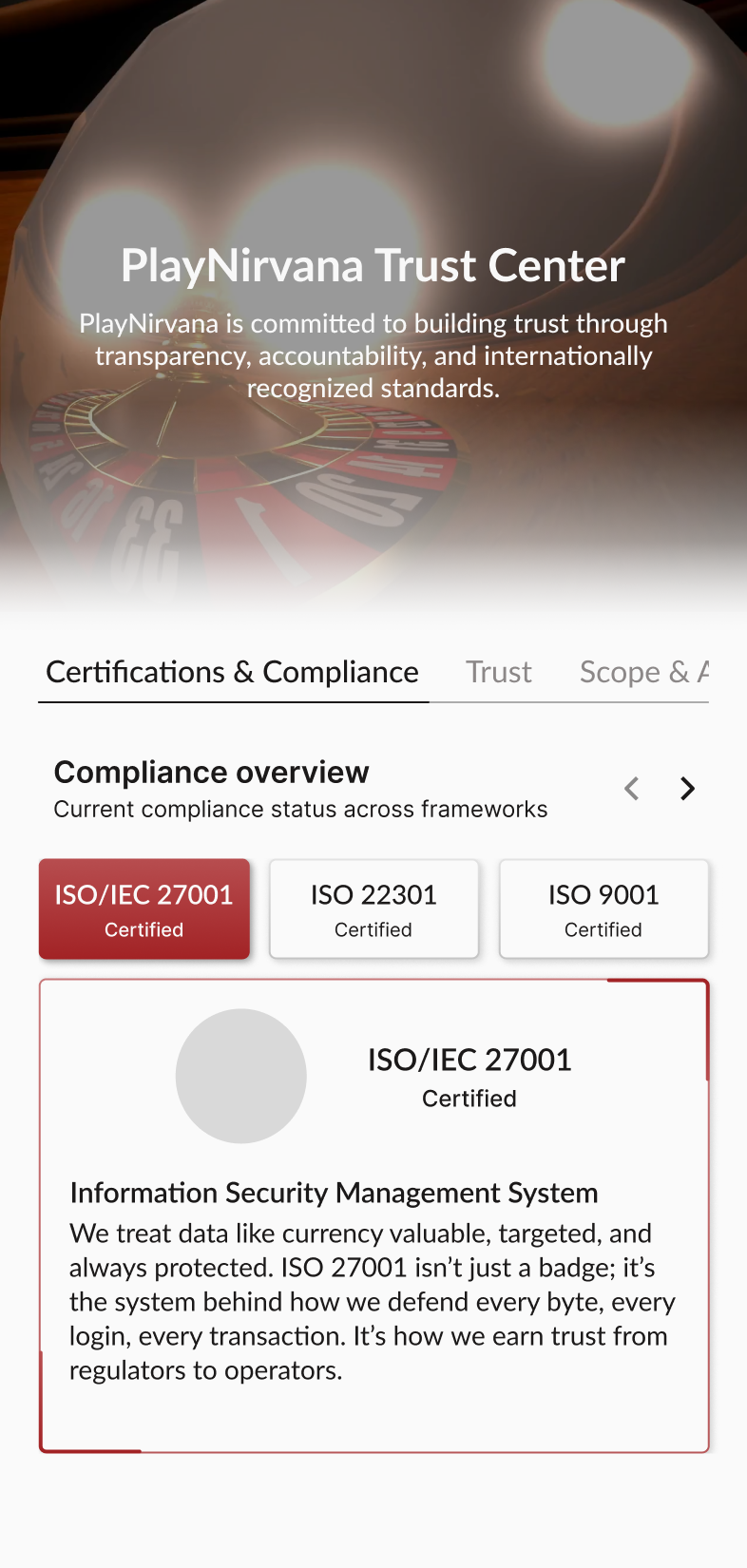
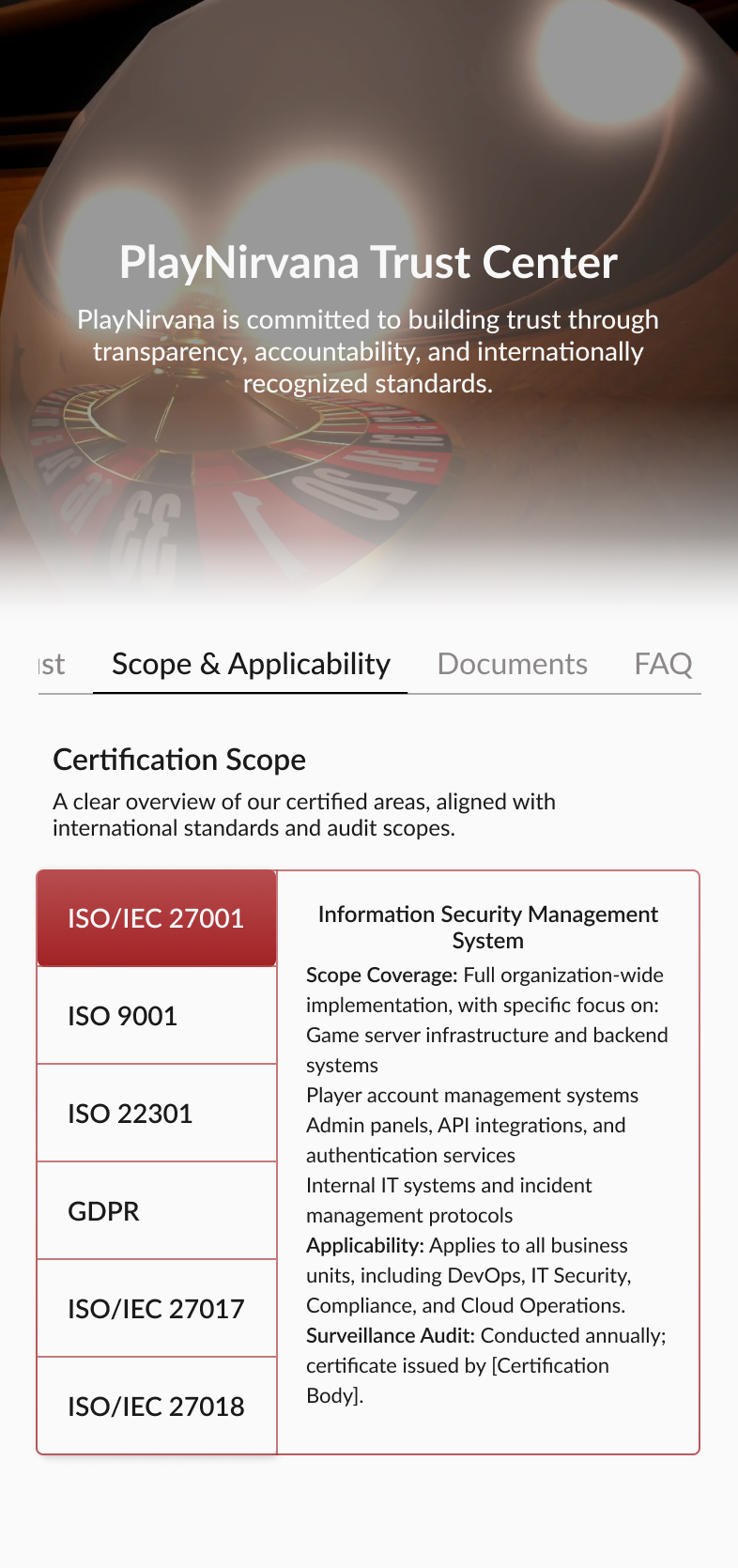
Certifications
01 — Certifications
Visual cards with status (Certified / In progress) for an immediate overview.
Scope
02 — Scope
Split view — standards on the left, detailed scope on the right.
Trust
03 — Trust
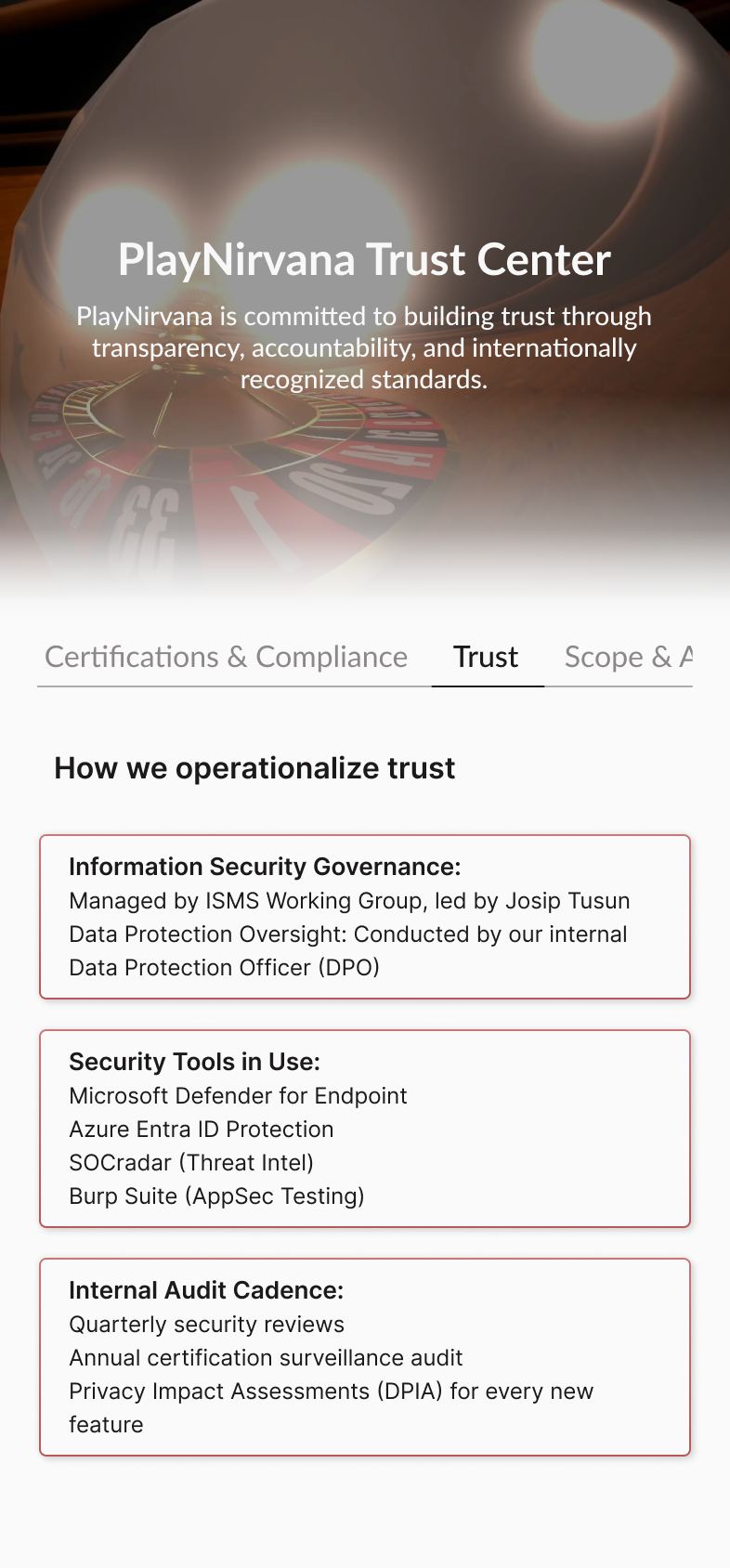
Operational transparency: governance, security tools, audit cadence.
Documents
04 — Documents
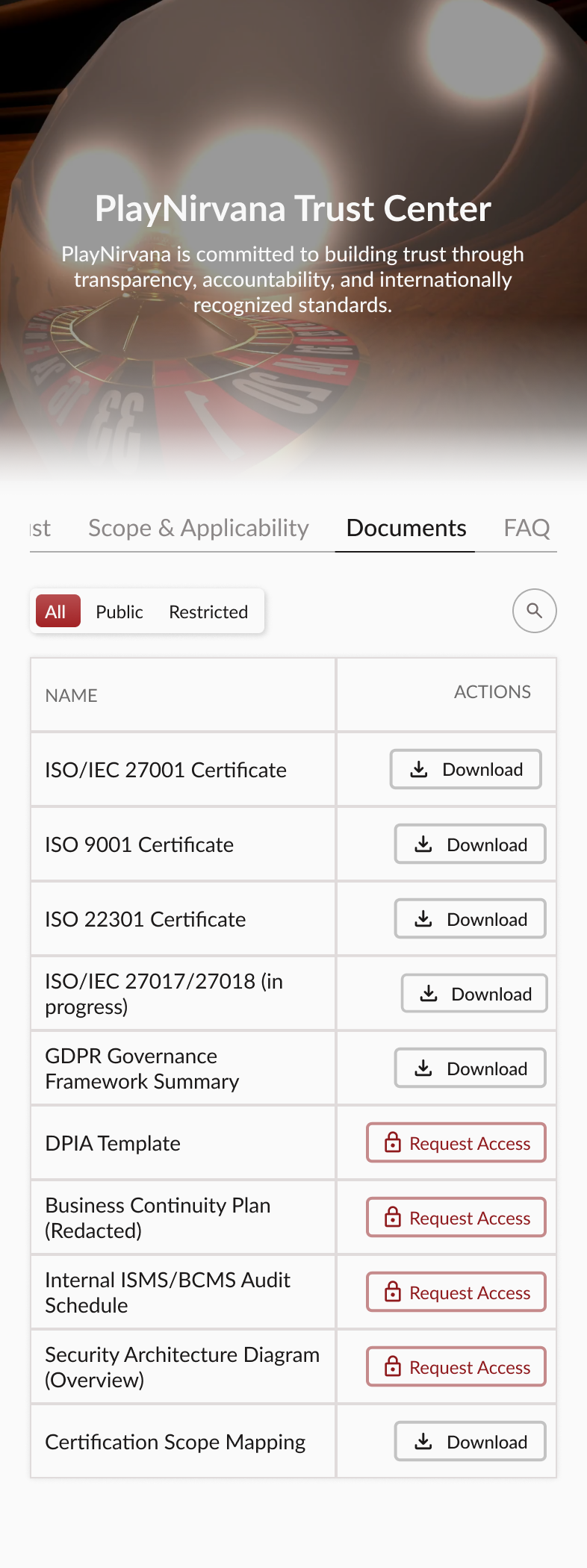
Access levels (public, restricted, internal) with filters and search.
FAQ
05 — FAQ
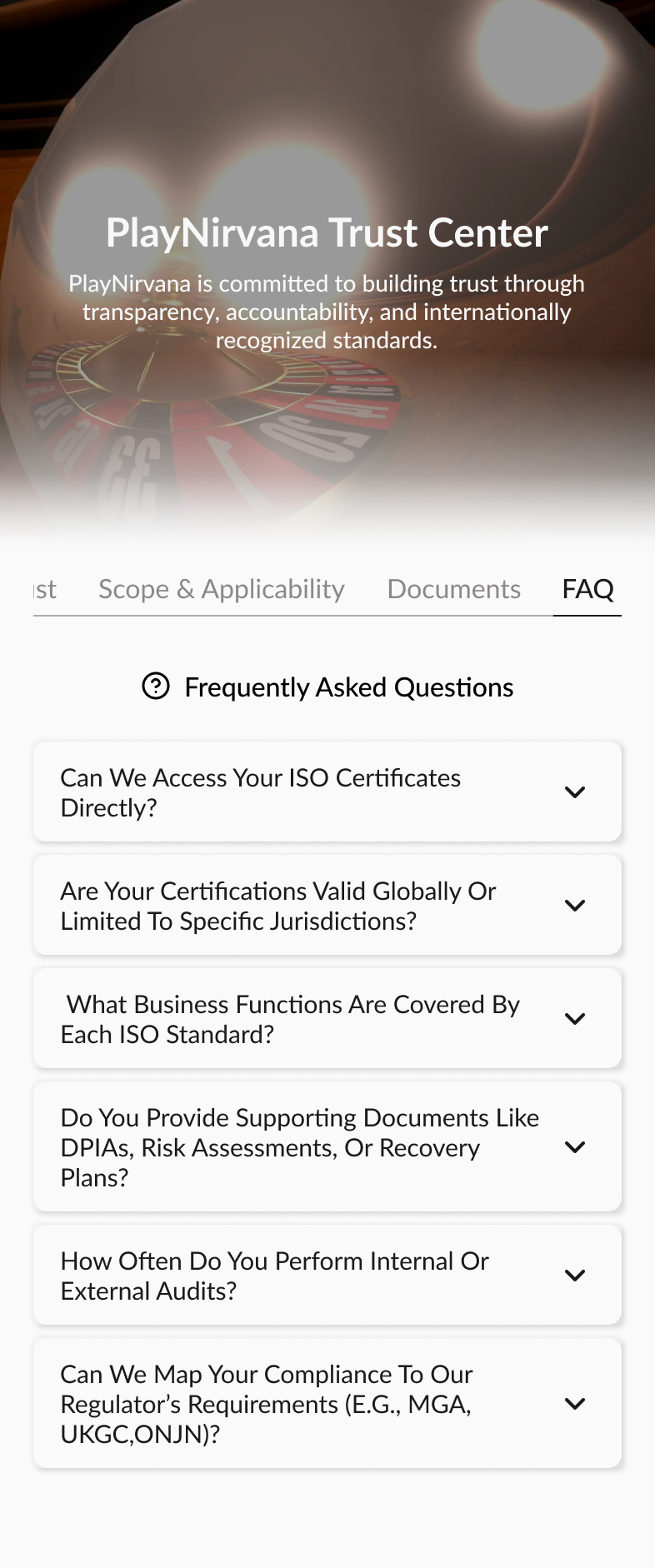
Collapsible answers to real compliance questions.
05Key Decisions
01

Design trust as a system, not a page.

Why
A single page can host documentation; only a structured multi-layer product can make it usable. Each layer (proof, explanation, access, clarity) carries its own job.
Alternative
A long, scrolling compliance page with anchor links. Easier to ship, but collapses every user need into one shape.
Trade-off
More information architecture work upfront. Pays back the moment a regulator and a partner land on the same page with different goals.
02

Separate the experience by intent.

Why
Each section solves one specific user need: proof (certifications), explanation (scope), access (documents), clarity (FAQ). Mixing them produces noise.
Alternative
One unified compliance feed. Looks tidy, makes nothing findable.
Trade-off
Requires the user to understand the section model. Eased by a tab-based architecture and consistent labelling.
03

Balance transparency with security via access levels.

Why
Not everything should be public. Public, restricted, and internal levels let the platform be open by default and controlled where it matters.
Alternative
Show everything, gated by login. Either over-shares or hides too much depending on the visitor.
Trade-off
Adds a request-access flow for restricted documents. Worth it — the alternative is a wall of locked PDFs.
04

Use progressive disclosure throughout.

Why
Show the overview first; reveal detail when the user asks for it. Cards, split views, and the FAQ accordion all follow the same rule.
Alternative
Surface every detail at once. Comprehensive, illegible.
Trade-off
Some users have to click to reach the deep cut. Acceptable — the overview already answers most questions.
05

Turn documentation into product.

Why
Static compliance pages get scanned and forgotten. An interactive system invites verification, comparison, and self-service.
Alternative
A polished PDF library. Familiar, but moves the work back to the user.
Trade-off
Higher build cost than publishing PDFs. Returned in lower support load and faster due diligence.
06Outcome

What qualitatively moved, and why.

Compliance as static documentation
Compliance as a navigable product experience.
One audience, one tone
Three audiences served by parallel access paths.
Long-form policy pages
Modular sections with progressive disclosure.
Open-or-locked documents
Public, restricted, and internal access tiers.
Support-led FAQ requests
Self-service answers in the system itself.
Closing note
“Trust is not something you claim on a page. It’s the structure that makes credibility verifiable.”
— Anisa Idrizi — Trust Center, Play Nirvana